Getting Started
Welcome to TWD (Test While Developing)! This guide will help you set up TWD in your application and write your first test. TWD is a deterministic browser validation layer for your frontend boundaries. It works with any frontend that renders in the browser: SPAs (React, Vue, Angular, Solid), hydrated SSR (React Router, Nuxt), Astro islands, and no-build projects (HTMX, vanilla JS) via a CDN, on Vite, Webpack, or no bundler at all.
Installation
Install TWD using your preferred package manager:
npm install --save-dev twd-jsyarn add --dev twd-jspnpm add -D twd-jsNo build step? Use a CDN
Plain HTML pages, static sites, and HTMX projects can load TWD from a CDN with no bundler and no install, using an import map. See Vanilla JS and HTMX in the framework guide.
Quick Setup
1. Add the Vite Plugin
For Vite-based projects (React, Vue, Solid.js, and other Vite-native frameworks), add the twd() plugin to your vite.config.ts. The plugin auto-loads the sidebar and discovers test files in dev — no entry-file changes required.
// vite.config.ts
import { defineConfig } from 'vite';
import react from '@vitejs/plugin-react'; // or vue, solid, etc.
import { twd } from 'twd-js/vite-plugin';

export default defineConfig({
  plugins: [
    react(),
    twd({
      testFilePattern: '/**/*.twd.test.{ts,tsx}',
      open: true,
      position: 'left',
      search: true,                    // Enable search/filter in the sidebar (default: false)
      pace: true,                      // Enable the execution speed selector (default: false)
      serviceWorker: true,             // Enable request mocking (default: true)
      serviceWorkerUrl: '/mock-sw.js', // Custom service worker path (default: '/mock-sw.js')
      // rootSelector: '#my-app',      // (Optional) Override the app root for screenDom queries
    }),
  ],
});
The plugin only runs in vite dev (apply: 'serve'), so production builds never include any TWD code.
Using Angular or another non-Vite tool?
Skip to Manual setup for non-Vite projects below.
2. Set Up the Service Worker (Optional but recommended)
If you plan to use API mocking, set up the mock service worker:
npx twd-js init public --saveThis copies the required mock-sw.js file to your public directory.
3. Write Your First Test
Create your first test file:
// src/App.twd.test.ts
import { twd, userEvent, screenDom } from "twd-js";
import { describe, it } from "twd-js/runner";

describe("App Component", () => {
  it("should render the main heading", async () => {
    await twd.visit("/");

    // Use screenDom for testing library queries
    const heading = screenDom.getByRole("heading", { level: 1 });
    twd.should(heading, "be.visible");
  });

  it("should handle button clicks", async () => {
    await twd.visit("/");

    const user = userEvent.setup();
    const button = screenDom.getByRole("button");

    await user.click(button);

    // Add your assertions here
    const result = screenDom.getByText("Button clicked!");
    twd.should(result, "be.visible");
  });
});
4. Run Your App
Start your development server as usual:
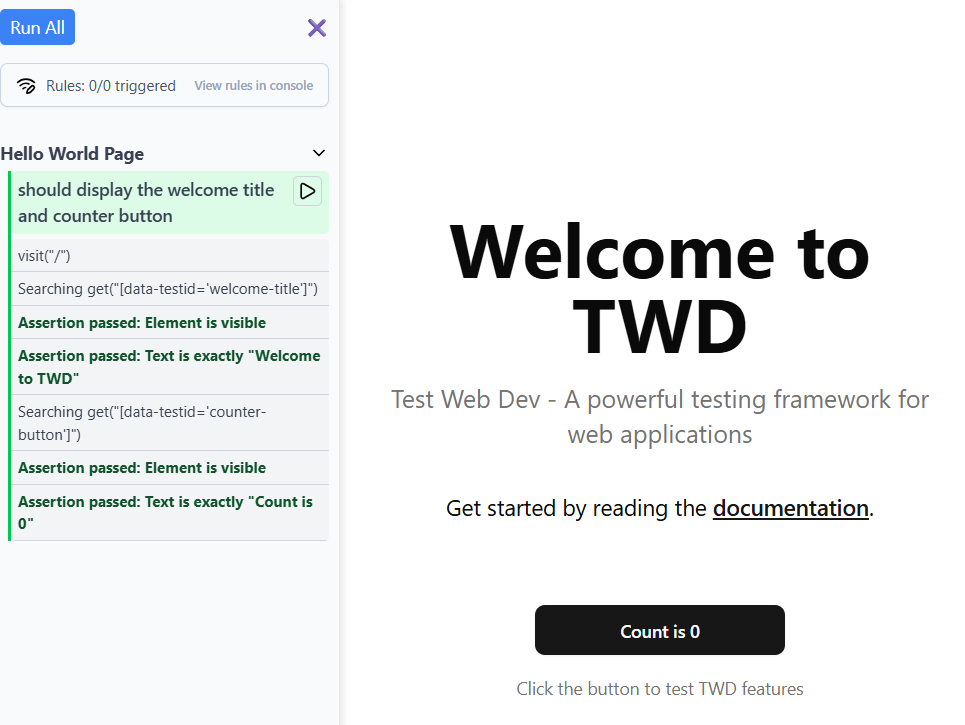
npm run devYou should now see the TWD sidebar in your browser automatically in development mode. Click on it to view and run your tests!
5. Run Headlessly (Optional)
The same tests run without a browser tab through twd-cli, the runner that CI and AI agents use. Keep the dev server running, then:
npm install --save-dev twd-cli
npx twd-cli run
Every run writes a report folder, .twd/report/, with a run.json for scripts and agents and an index.html to open in a browser. It is rewritten on every run, so add it to your .gitignore:
# .gitignore
.twd/
Manual setup for non-Vite projects
If your project doesn't use Vite (e.g. Angular CLI, Webpack, custom bundler), initialize TWD manually in your dev entry point. The twd() Vite plugin doesn't apply here, but the underlying initTWD API works the same way the plugin does internally.
// src/main.tsx (or main.ts)
import { StrictMode } from 'react';
import { createRoot } from 'react-dom/client';
import './index.css';
import App from './App';

// Only load the test sidebar and tests in development mode
if (import.meta.env.DEV) {
  const { initTWD } = await import('twd-js/bundled');
  const tests = import.meta.glob('./**/*.twd.test.ts');

  initTWD(tests, {
    open: true,
    position: 'left',
    search: true,                    // Enable search/filter in the sidebar (default: false)
    pace: true,                      // Enable the execution speed selector (default: false)
    serviceWorker: true,             // Enable request mocking (default: true)
    serviceWorkerUrl: '/mock-sw.js', // Custom service worker path (default: '/mock-sw.js')
    // rootSelector: '#my-app',      // (Optional) Override the app root for screenDom queries
  });
}

createRoot(document.getElementById('root')!).render(
  <StrictMode>
    <App />
  </StrictMode>,
);
The bundled setup ships React internally, so it works with any framework — the entry-file integration is the only difference.
File Naming Convention
We recommend naming your test files using the following patterns:
*.twd.test.ts*.twd.test.tsx*.twd.test.js*.twd.test.jsx
You can customize this pattern in your test loader using different glob patterns.
Development Workflow
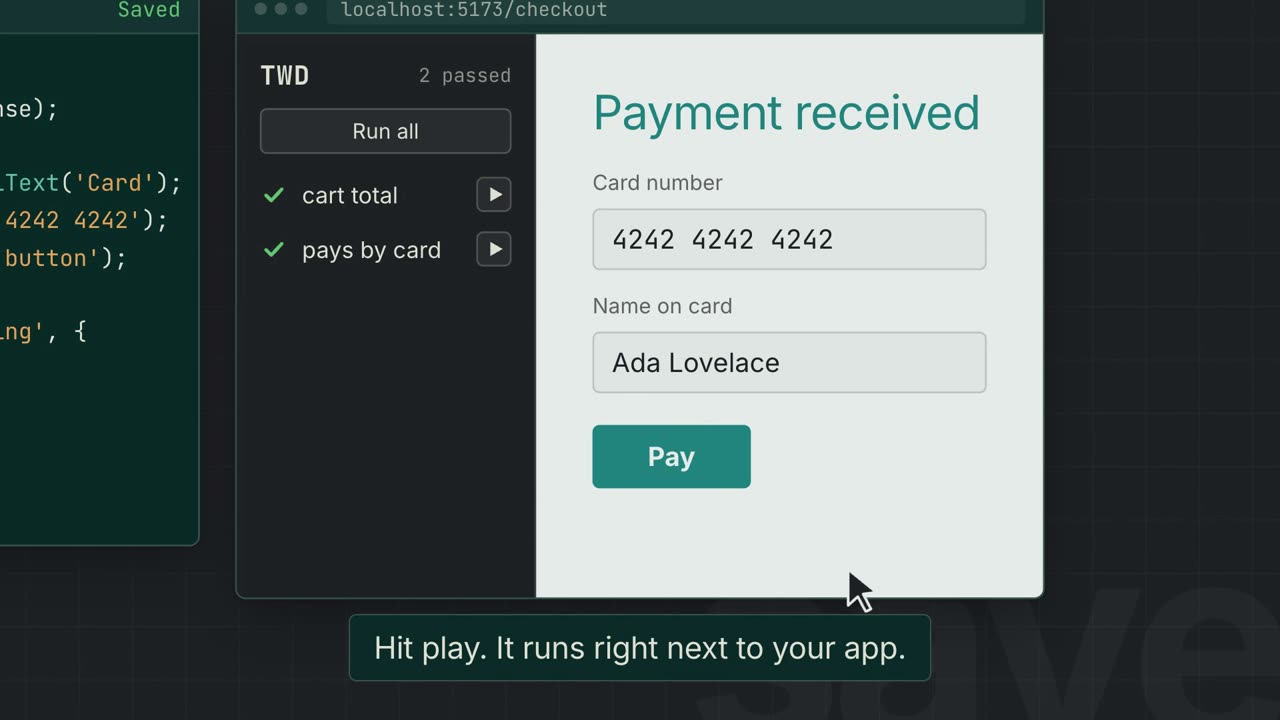
- Write tests alongside your components
- Run tests using the browser sidebar
- See instant feedback as you develop
- Mock external systems (APIs, auth, feature flags) for deterministic results
- Iterate quickly with live reloading
Next Steps
- Learn about Writing Tests in detail
- Explore API Mocking capabilities
- Follow the Tutorial for step-by-step learning
- Browse the API Reference for all available methods
Troubleshooting
Tests Not Loading
Make sure you:
- Are running in development mode (
vite dev/import.meta.env.DEVis true) - Used a file name that matches your
testFilePattern. The default is'/**/*.twd.test.ts', which matches.tsonly. If your tests are.tsxor.jsx, settwd({ testFilePattern: '/**/*.twd.test.{ts,tsx}' })or they will be skipped silently. - Added
twd()to thepluginsarray in yourvite.config.ts(Vite projects), or have the manualinitTWDlogic in your entry file (non-Vite projects)
Service Worker Issues
If API mocking isn't working:
- Run
npx twd-js init public --saveto install the service worker - Make sure request mocking is enabled (
serviceWorker: trueis the default in both the plugin andinitTWD) - Check the browser console for service worker registration errors
Test Duplication on HMR
If you're using the twd() Vite plugin, full-reload on test edits is handled automatically — no extra plugin needed.
For manual (non-Vite) setups where you notice test entries duplicating when you edit test files during development, add the TWD HMR plugin alongside initTWD:
// vite.config.ts
import { twdHmr } from 'twd-js/vite-plugin';

export default defineConfig({
  plugins: [
    // ... other plugins
    twdHmr(),
  ],
});
This plugin forces a full page reload when TWD test files change, preventing duplicate test entries.